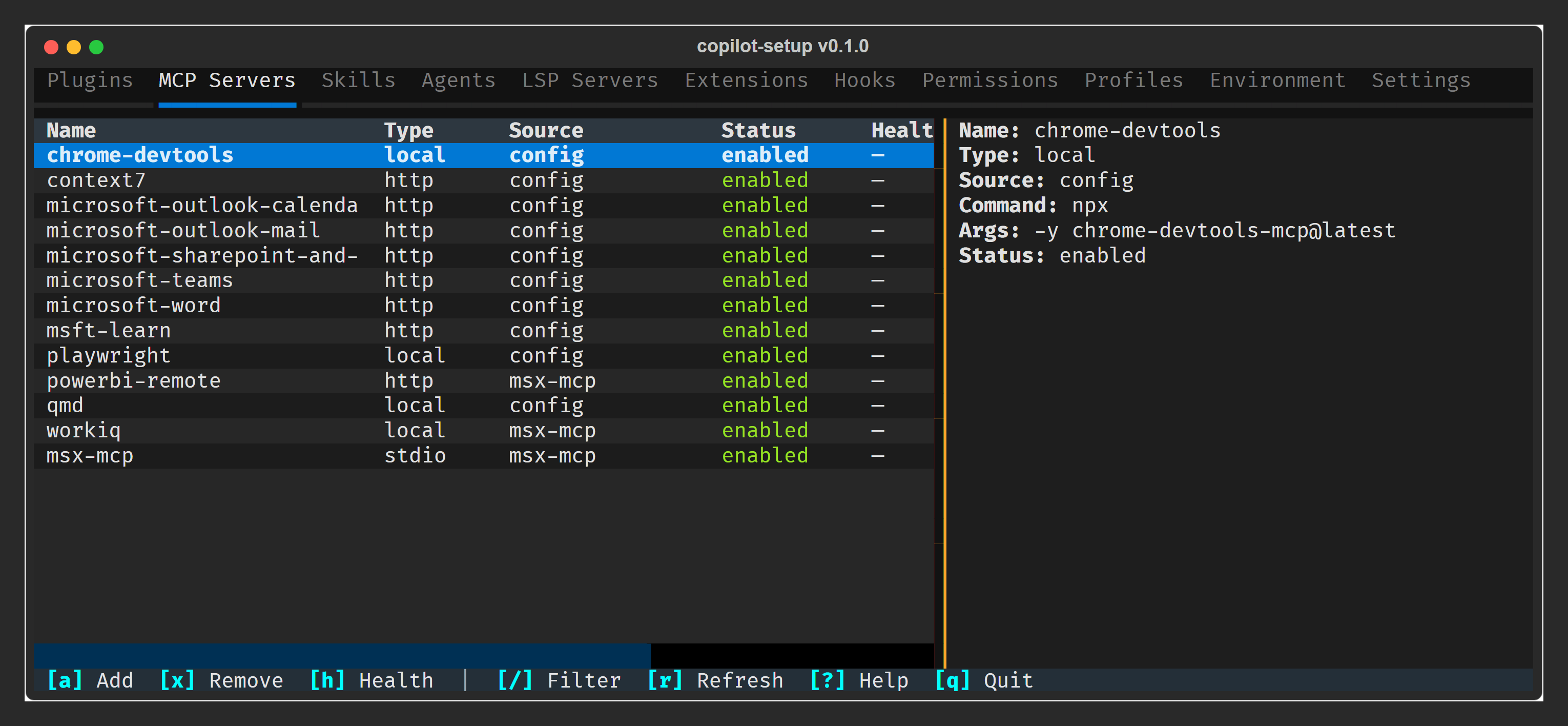
A Textual TUI dashboard for viewing and managing your GitHub Copilot CLI configuration. Browse MCP servers, plugins, skills, agents, settings, and more — toggle, upgrade, and remove plugins or MCP servers without leaving the terminal.
pip install copilot-setupOr run directly without installing:
uvx copilot-setupRequires Python ≥ 3.10.
copilot-setup           # Launch the TUI dashboard
copilot-setup doctor    # Probe MCP server health
11 tabs · Instant filter (/) · Detail pane · Plugin management · Doctor health probes
Releases are published to PyPI automatically via GitHub Actions when a version tag is pushed.
# 1. Update version in pyproject.toml
# 2. Commit and push
git commit -am "chore: bump version to X.Y.Z"
git push

# 3. Tag and push
git tag vX.Y.Z
git push origin vX.Y.Z
The workflow validates the tag matches pyproject.toml, runs lint + tests, builds the wheel, then publishes to TestPyPI and PyPI using Trusted Publishers (OIDC).